


Introduction
Something I see a lot in CI/CD setups is a separate pipeline for each environment, each one building its own Docker image. Dev pipeline builds an image, staging pipeline builds an image, production pipeline builds an image. The code is the same. The Dockerfile is the same. The result is theoretically the same. But you spent three build cycles to get there, and you have no actual guarantee that what you tested in dev is what you shipped to prod.
I have tried a few different approaches to this over time, and the one that makes the most sense is this: build the image once, tag it with the commit SHA, and promote that exact binary across every environment. If it passed tests in dev, the same image goes to staging. If staging looks good, that same image goes to production. No rebuilds, no surprises.
This post walks through what that looks like in GitHub Actions, including branch protection rules, reusable workflows, security scanning, and a canary deployment for production.
The Core Idea: Image Promotion
Most pipelines are organized around environments. There is a dev workflow, a staging workflow, a prod workflow. Each one builds the image. Each one runs its own version of the same steps.
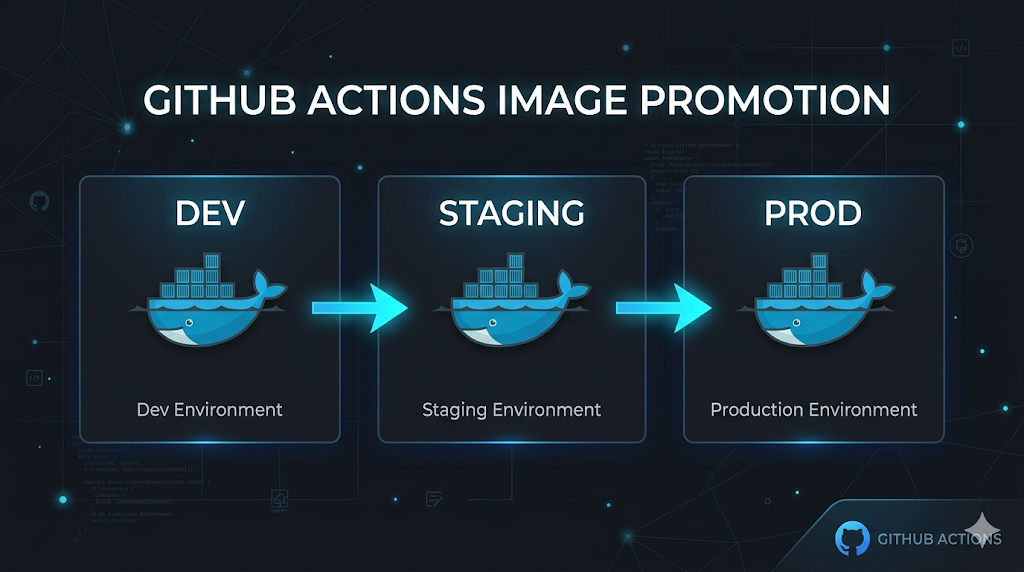
A better way to think about it is to organize around the image itself. The image gets built exactly once, tagged with the git commit SHA, and pushed to a registry. Every subsequent step – dev deploy, staging deploy, prod deploy – just retags that image with an environment label and deploys it. The binary never changes.
git push to dev
  → tests pass
  → image built: shopstream-api:abc1234
  → security scan on that image
  → deploy to dev: retag abc1234 → dev
  → deploy to staging: retag abc1234 → staging
  → deploy to prod: retag abc1234 → prod (via canary)
The commit SHA becomes the source of truth. You can always trace exactly which image is running where, and you know every environment is running the same thing that was tested.
Reusable Workflows
GitHub Actions lets you define reusable workflows that other workflows call with uses:. This is the cleanest way to keep things DRY. Each piece of the pipeline lives in its own file and does one thing.
ci.yml              — test → build → scan → deploy dev
build-image.yml     — builds and pushes image to ECR (called once)
promote-image.yml   — retags an existing image for an environment
deploy.yml          — promote + migrate + helm rollout (dev and staging)
canary.yml          — canary rollout for production
security-scan.yml   — Trivy + Brakeman
rollback.yml        — redeploy a known-good SHA
The CI pipeline orchestrates them in sequence:
jobs:
  test:
    runs-on: ubuntu-latest
    # ... runs tests and linting

  build:
    needs: test
    uses: ./.github/workflows/build-image.yml
    with:
      image_tag: ${{ github.sha }}
    secrets: inherit

  security:
    needs: build
    uses: ./.github/workflows/security-scan.yml
    with:
      image_tag: ${{ github.sha }}
    secrets: inherit

  deploy-dev:
    needs: security
    uses: ./.github/workflows/deploy.yml
    with:
      environment: dev
      image_tag: ${{ github.sha }}
    secrets: inherit
Tests have to pass before the image is built. The image has to exist before security scans run. Security scans have to pass before anything gets deployed. The needs: chain enforces this, and there is no way to skip a step.
Building the Image Once
The build workflow tags the image with the commit SHA and pushes it to ECR. That is the only thing it does.
- name: Build and push
  uses: docker/build-push-action@v5
  with:
    context: ./shopstream-api
    push: true
    tags: ${{ steps.login-ecr.outputs.registry }}/shopstream-api:${{ inputs.image_tag }}
    cache-from: type=gha
    cache-to: type=gha,mode=max
The GitHub Actions cache keeps repeated builds of the same layers fast. But the point is that this step runs exactly once per commit. Everything downstream just references the SHA.
Promoting the Image
The promote workflow pulls the SHA-tagged image, retags it with the environment label, and pushes it back.
- name: Retag image for environment
  env:
    REGISTRY: ${{ steps.login-ecr.outputs.registry }}
    REPO: shopstream-api
    SOURCE_TAG: ${{ inputs.image_tag }}
    TARGET_TAG: ${{ inputs.environment }}
  run: |
    docker pull "$REGISTRY/$REPO:$SOURCE_TAG"
    docker tag  "$REGISTRY/$REPO:$SOURCE_TAG" "$REGISTRY/$REPO:$TARGET_TAG"
    docker push "$REGISTRY/$REPO:$TARGET_TAG"
After a deploy to staging, ECR has both shopstream-api:abc1234 and shopstream-api:staging pointing at the same image digest. You can deploy by environment label and always look up the SHA to know exactly what is running.
Security Scanning as a Gate
Security scans run after the image is built and before anything is deployed. Two tools cover this well: Trivy for container vulnerabilities and Brakeman for Rails static analysis.
Trivy scans the image for HIGH and CRITICAL CVEs:
- name: Run Trivy vulnerability scan
  uses: aquasecurity/trivy-action@master
  with:
    image-ref: "${{ steps.login-ecr.outputs.registry }}/shopstream-api:${{ inputs.image_tag }}"
    severity: HIGH,CRITICAL
    exit-code: "1"
    ignore-unfixed: true
The exit-code: "1" makes Trivy fail the job if it finds anything. ignore-unfixed: true filters out vulnerabilities with no available fix yet, so the scan stays actionable rather than noisy. Brakeman runs separately and catches security issues at the code level.
The security workflow should never use continue-on-error. If either scan fails, the pipeline stops. Nothing gets deployed.
Branch Protection Rules
The pipeline enforces things at the code level, and branch protection rules enforce things at the merge level. Together they mean nothing broken can reach an environment without someone actively working around it.
For the dev branch:
- CI must pass before a PR can be merged. Tests, linting, the whole thing.
- At least one approval on every PR. Even on a solo project this is a good habit.
- No force pushes. The branch history stays intact.
For staging and main, the bar goes higher. Staging merges require the dev pipeline to have succeeded, and main requires staging to be clean. Code has to work in dev before it can reach staging, and has to work in staging before it can reach production.
The branch protection settings live in GitHub under Settings > Branches. The key ones:
- Require status checks to pass before merging
- Require branches to be up to date before merging
- Require pull request reviews before merging
- Restrict force pushes
That last one matters more than people give it credit for. Force pushes can rewrite history in ways that break the SHA-based traceability the entire image promotion strategy depends on.
Production: Canary Instead of a Full Rollout
Dev and staging can use a straight Helm rollout. Production deserves more care.
A canary deployment sends a small slice of traffic (around 10%) to the new image, monitors for a window of time, then either promotes to a full rollout or triggers a rollback automatically.
- name: Deploy canary (10% traffic)
  run: |
    helm upgrade --install shopstream-canary helm/shopstream \
      --namespace shopstream \
      --set image.tag="${{ inputs.image_tag }}" \
      --set replicaCount=1 \
      --atomic \
      --timeout 5m

- name: Monitor canary
  id: monitor
  run: bash scripts/canary-check.sh
  continue-on-error: true

- name: Full rollout (canary healthy)
  if: steps.monitor.outcome == 'success'
  run: |
    helm upgrade --install shopstream helm/shopstream \
      --set image.tag="${{ inputs.image_tag }}" \
      --atomic --timeout 10m
    helm uninstall shopstream-canary --namespace shopstream

- name: Rollback (canary unhealthy)
  if: steps.monitor.outcome != 'success'
  run: |
    helm uninstall shopstream-canary --namespace shopstream || true
    bash scripts/rollback.sh --env prod
    exit 1
A manual approval gate on the production GitHub environment means a human has to sign off before the canary even starts. The flow becomes: merge to main → wait for approval → canary deploys → monitoring runs → full rollout or automatic rollback.
A separate rollback workflow handles the case where you need to intervene manually. It takes an environment and a known-good SHA, and re-deploys that image via Helm. No magic version detection – you give it the SHA, it deploys it.
No Static Credentials
Worth mentioning: all AWS authentication should use OIDC, not static access keys stored in GitHub secrets.
- name: Configure AWS credentials (OIDC)
  uses: aws-actions/configure-aws-credentials@v4
  with:
    role-to-assume: ${{ secrets.AWS_DEPLOY_ROLE_ARN }}
    aws-region: ${{ vars.AWS_REGION }}
GitHub Actions generates a short-lived token for each run. The IAM role has a trust policy scoped to the specific repo and branch. No credentials sitting around waiting to be rotated or leaked.
What This Looks Like in Practice
Push to dev, and here is what happens:
- Tests and linting run
- Image builds and pushes to ECR tagged with the commit SHA
- Trivy scans the image, Brakeman scans the code
- Image is retagged as
devand deployed via Helm - Migrations run before the Helm rollout
- Slack notification lands with the result
Merge dev into staging – same image, retagged, deployed. Merge staging into main – manual approval gate, canary, monitor, full rollout.
The image that reaches production is the exact same binary that ran in dev on day one. And just like that, you have a pipeline that gives you actual confidence rather than just the feeling of having one.
Further Reading
- Reusable workflows in GitHub Actions
- Configuring OpenID Connect in AWS
- Trivy vulnerability scanner
- Brakeman static analysis for Rails
- Branch protection rules
That’s all for now! Thank you for making it to the end.